1
My Dashboard
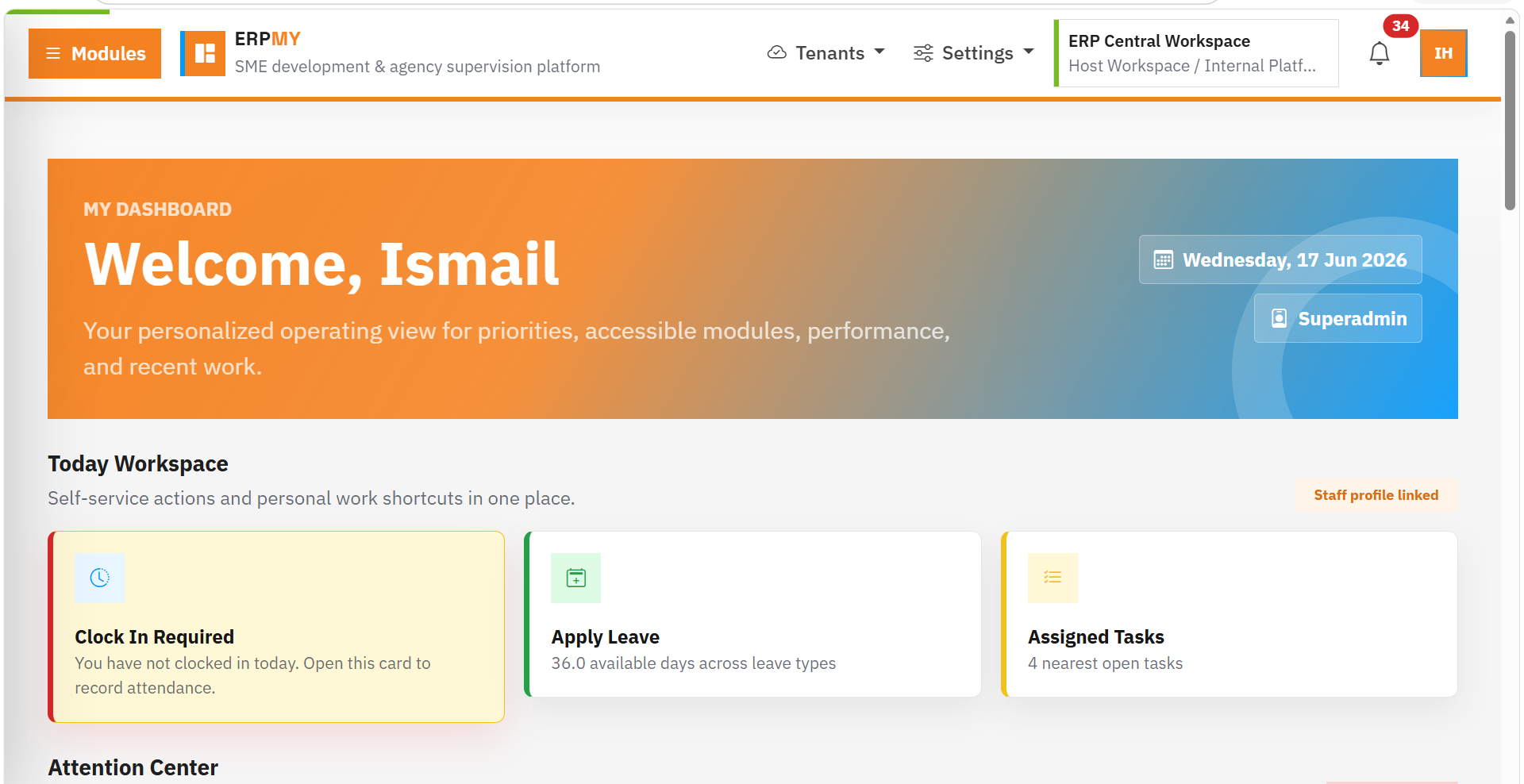
Start each day with attention items, assigned work, accessible module statistics and personal performance visibility.
A practical walkthrough of the platform screens buyers care about most: dashboard, PMO, HRMS, procurement, accounting and SaaS tenant management.
Start each day with attention items, assigned work, accessible module statistics and personal performance visibility.
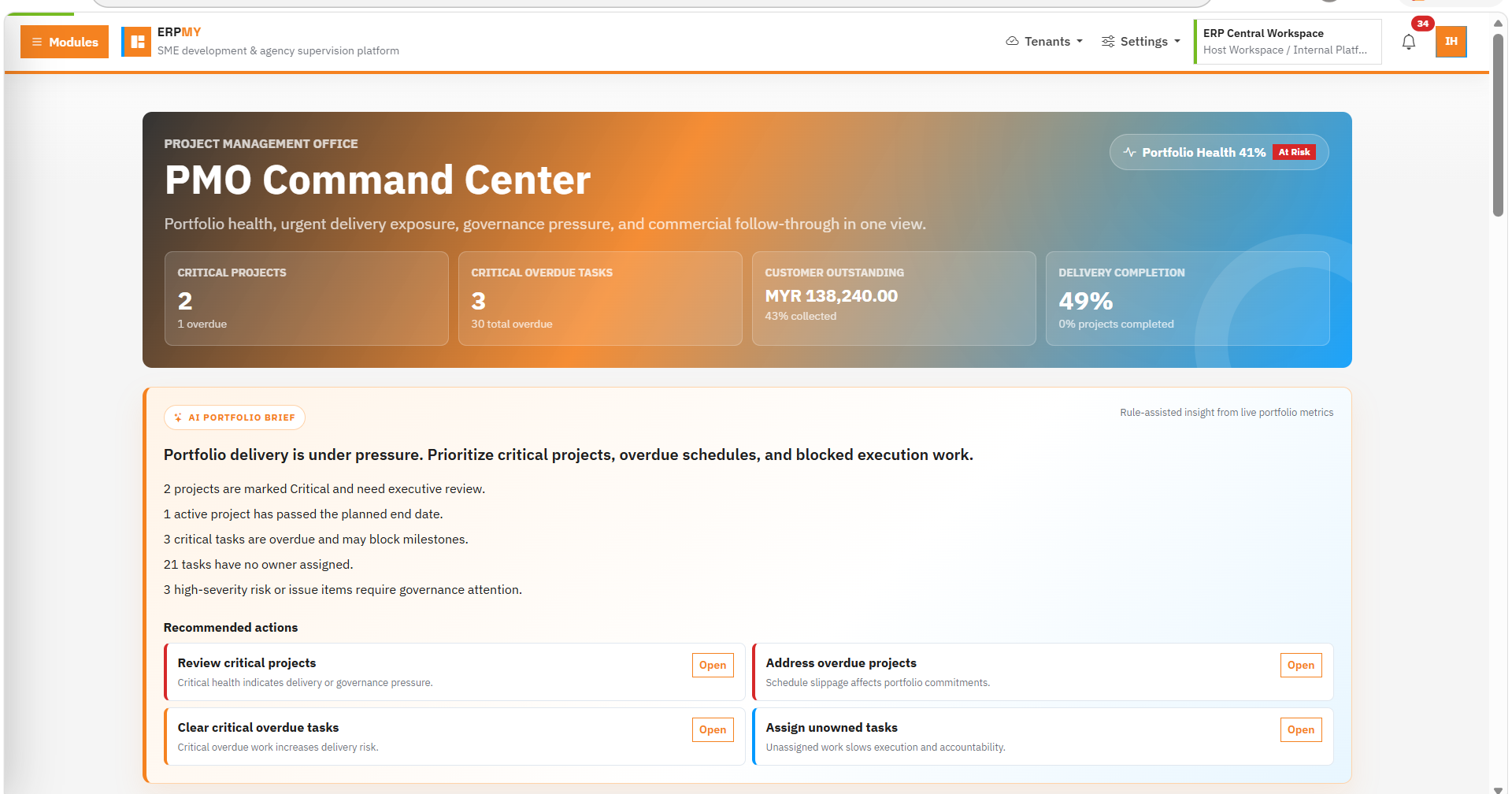
Review project health, active projects, critical delivery risks, overdue tasks, finance signals and portfolio movement.
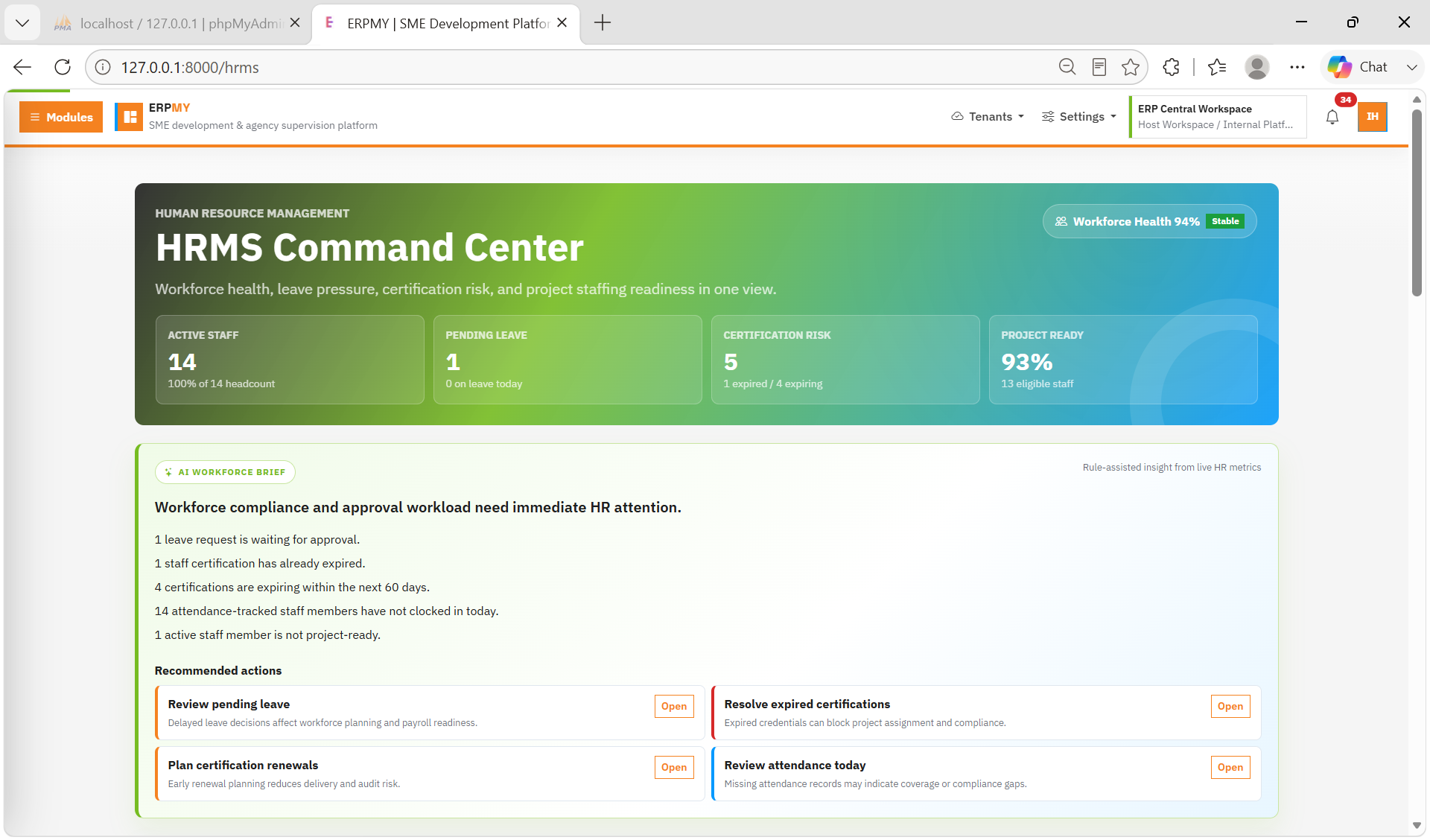
Manage headcount, staff profiles, leave, attendance, recruitment, onboarding, skills and certification readiness.
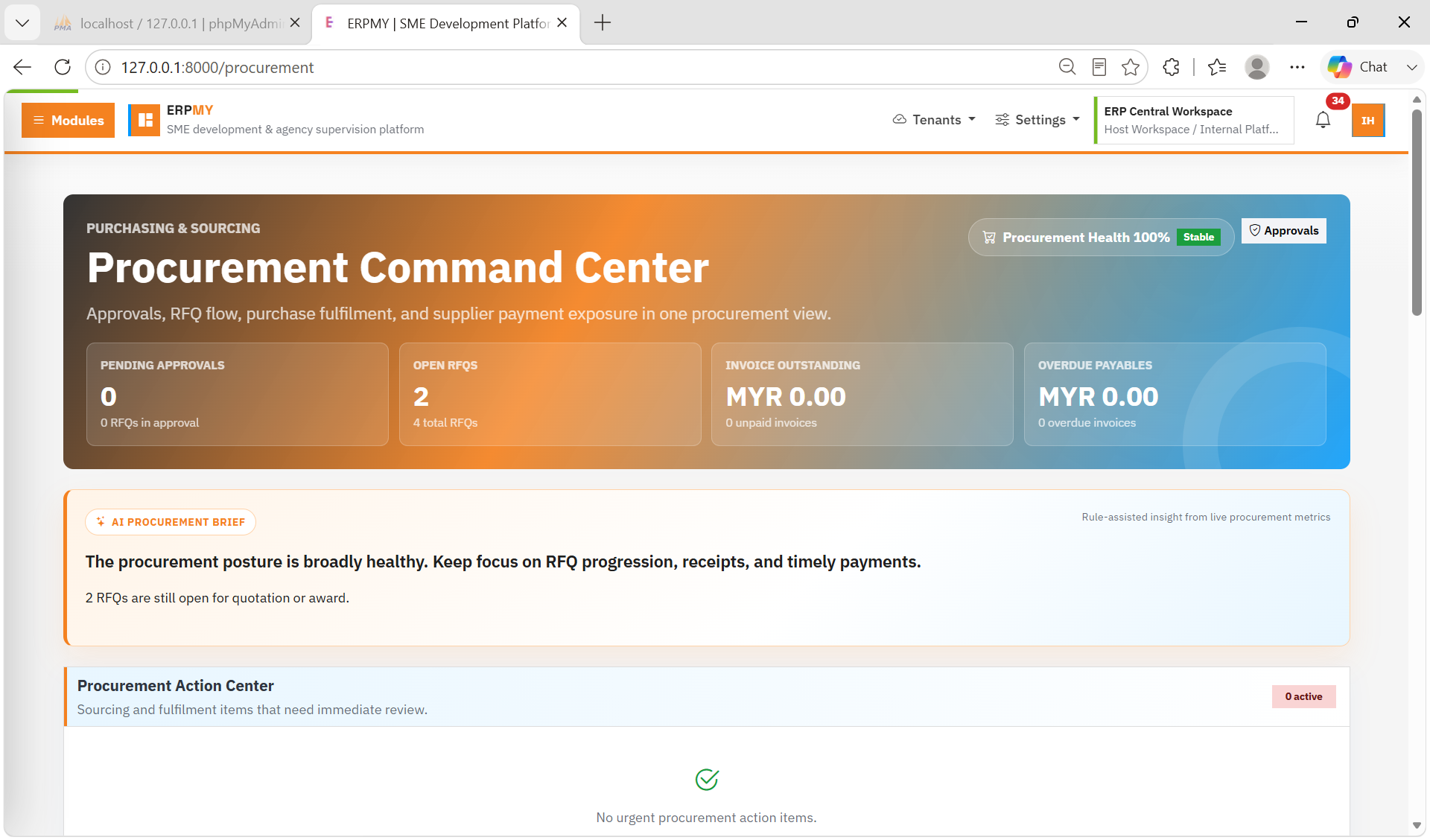
Control purchasing from purchase request and RFQ to supplier quotation, purchase order, invoice and payment voucher.
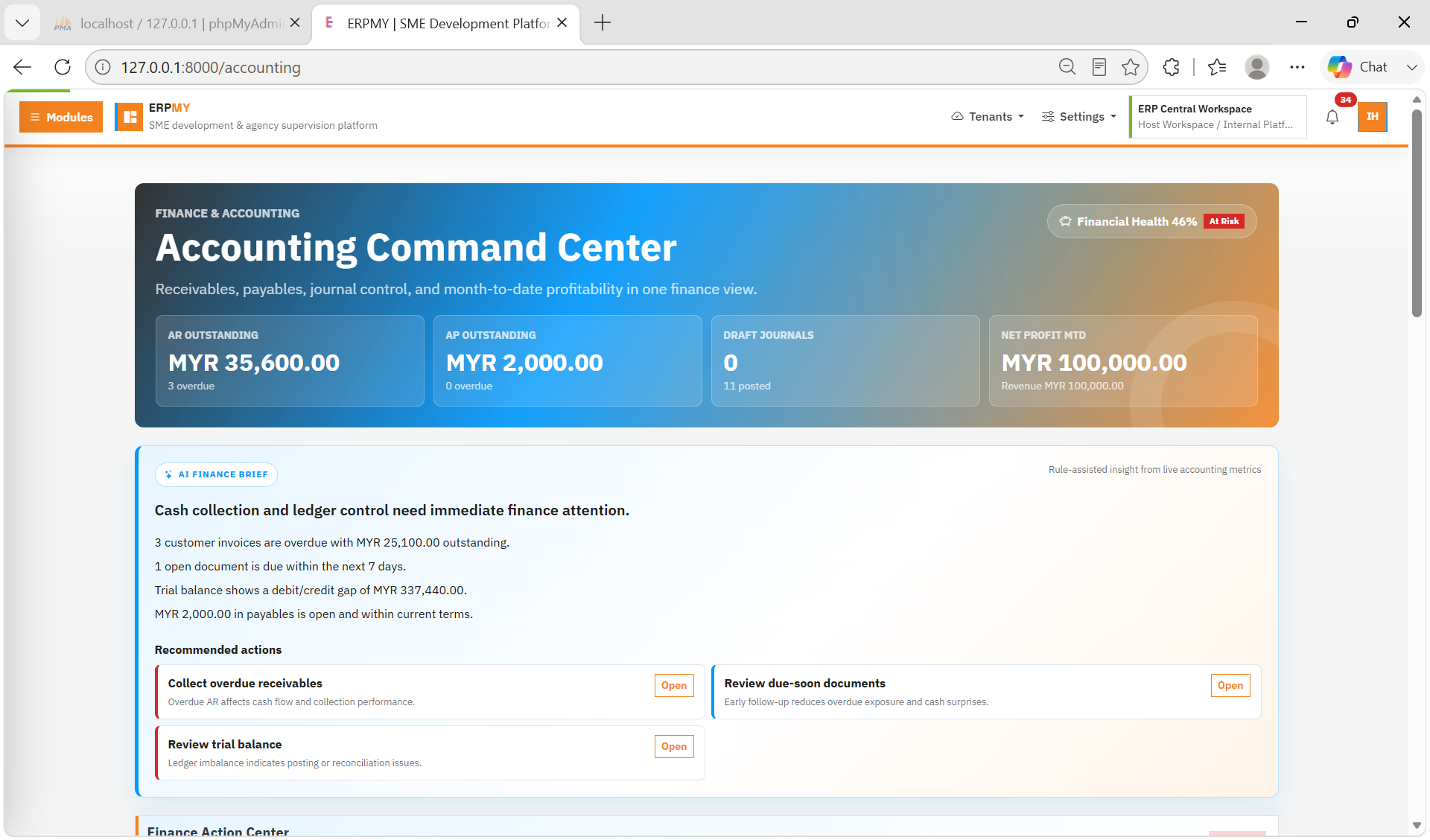
Track AR/AP, chart of accounts, journal entries, auto posting, cash book, ledger and financial reports.
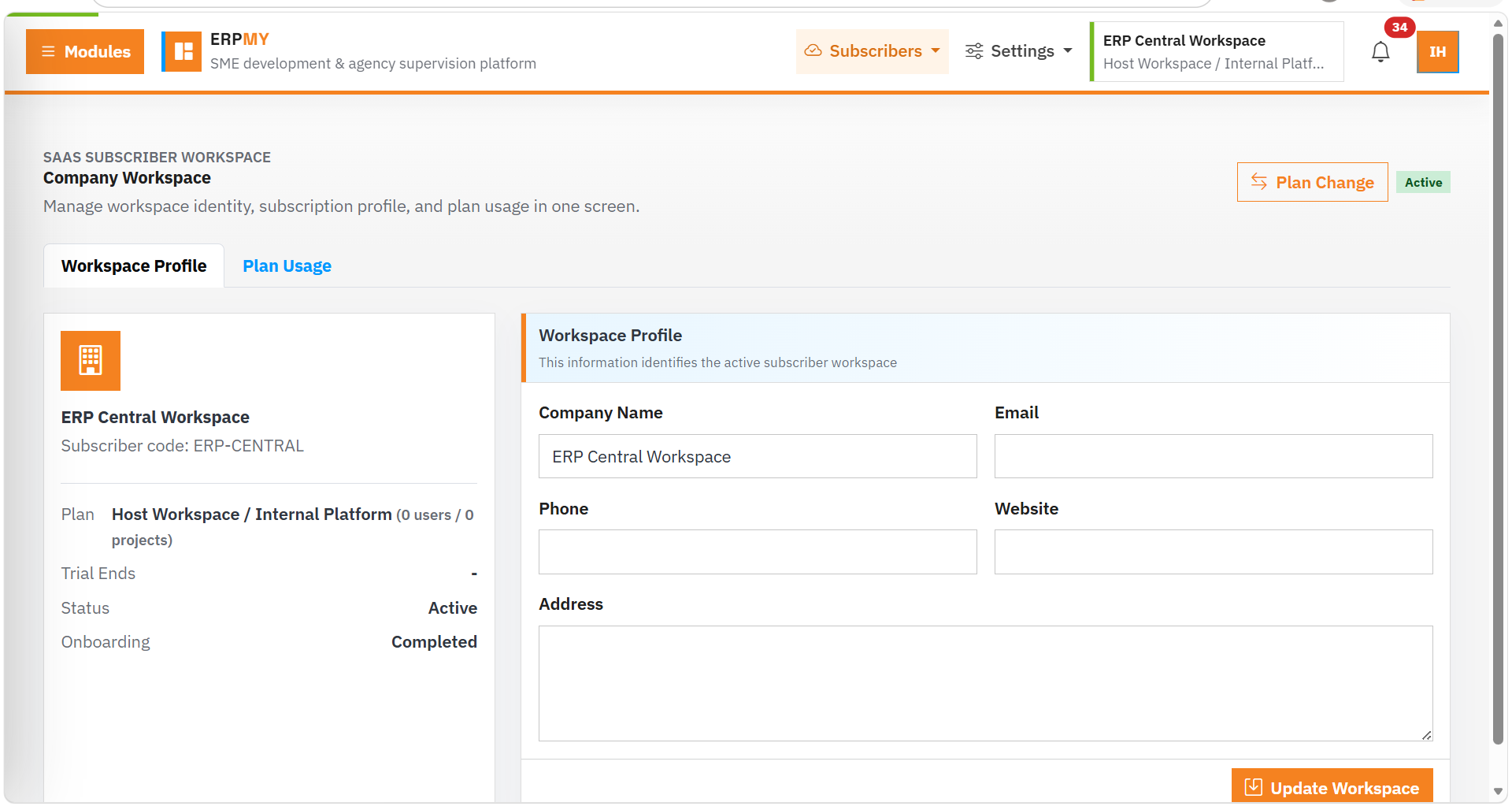
Operate tenant workspaces, subscriptions, operator program controls, access status and cloud ERP administration.
ERPMY is strongest when project work connects with people, procurement, finance and support. That connected story is what differentiates the platform from a narrow HRMS, accounting or task system.